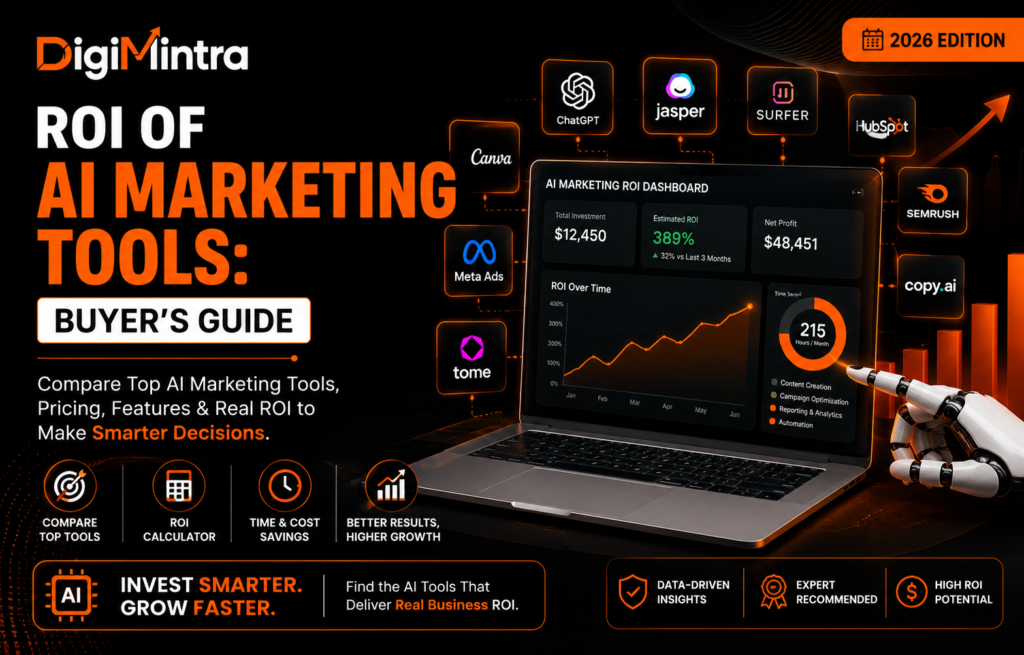
87% of marketers now use generative AI in at least one workflow. Only 41% can actually prove it paid for itself. That gap is the entire reason this guide exists — not another “20 AI tools to try,” but a way to figure out, before you pay for anything, whether a specific AI marketing tool is actually going to be worth it for your business.
Most buying decisions in this category happen backwards: a tool looks impressive in a demo, the team subscribes, and only months later does anyone ask whether it actually moved a number that matters. This guide flips that order — starting with a framework for calculating expected ROI before you commit a single dollar, then applying it to real categories, real pricing, and the situations where paying for AI simply isn’t the right call yet.
What “ROI” Actually Means for a Marketing Tool
Most people default to a narrow definition: money earned divided by money spent. That works for an ad campaign. It doesn’t capture how most AI marketing tools actually pay off.
For AI tools, ROI usually shows up in one of five places:
- Time saved — hours no longer spent on repetitive writing, reporting, or campaign setup
- Cost avoided — content or creative you no longer need to outsource or hire for
- Output increased — more content, more ad variations, more campaigns with the same headcount
- Performance improved — lower CPA/CPL, higher ROAS, better conversion rates
- Revenue attributed — leads or sales that trace directly back to the tool
A tool can be worth paying for even if it never touches revenue directly. If it saves your one marketer six hours a week, that’s real value — you just have to calculate it properly instead of assuming it.
A Simple Framework for Calculating ROI Before You Buy
Before subscribing to anything, run it through these six steps:
- Identify the specific bottleneck — not “we need more AI,” but “we spend 8 hours a week writing ad copy variations”
- Calculate the current cost — hours spent × hourly cost of that person’s time, or the freelancer/agency fee you’re currently paying
- Estimate the expected time or cost saved — be conservative; most tools don’t deliver their marketing page’s numbers on day one
- Estimate any revenue or performance impact — only if you can trace it, don’t guess
- Add up the total cost — subscription price plus onboarding time plus any add-ons you’ll actually need
- Compare and set a review date — calculate expected ROI, then actually check the number again after 60–90 days
The formula in its simplest form:
ROI (%) = [(Value created − Total tool cost) ÷ Total tool cost] × 100
Where “value created” = (hours saved × hourly rate) + (attributable revenue) + (avoided outsourcing cost)
Worked Examples (Illustrative, Not Real Client Data)
These are hypothetical scenarios to show the math, not performance guarantees.
| Scenario |
Tool Cost |
Value Created |
Illustrative Monthly ROI |
| Freelancer using an AI writing tool to save 10 hrs/month at a $30/hr internal rate |
$59/mo |
$300 |
~408% |
| Small e-commerce brand using AI email tool, +5% attributed revenue lift on a $20K/mo list |
$150/mo |
~$1,000 |
~567% |
| Agency using AI ad-creative tool to cut design turnaround from 3 days to 3 hours across 8 clients |
$249/mo |
~$2,400 (avoided freelance design cost) |
~864% |
| SaaS company using an AI SEO tool, no ranking movement after 90 days |
$99/mo |
$0 measurable |
Negative — cancel or reassess |
The fourth row matters as much as the first three. Not every tool pays off, and knowing when to walk away is part of the framework — not a failure of it.
Where AI Tools Actually Deliver, by Category
Rather than list dozens of similar tools, here’s one well-established option per major category, with real pricing so you can run your own numbers. These aren’t necessarily “the best” tool in each category — they’re representative of what a given category typically costs and delivers, which is more useful for ROI math than a popularity ranking.
| Category |
Tool |
Starting Price |
Free Option |
Best For |
| AI content writing |
Jasper |
$59/mo (annual), $69/mo (monthly) |
7-day trial only |
Brand-consistent content at volume for small teams |
| AI SEO / content optimization |
Surfer SEO |
~$49–99/mo depending on tier (pricing has shifted multiple times in 2026 — verify current tiers) |
No free tier |
Optimizing content against ranking data |
| AI ad creative generation |
AdCreative.ai |
~$29–39/mo (credit-based) |
7-day trial |
High-volume static ad variations for testing |
| AI email/SMS for e-commerce |
Klaviyo |
Free up to 250 profiles; paid from ~$20/mo, scales with list size |
Yes, up to 250 contacts |
Revenue-linked email automation for online stores |
| AI CRM / marketing hub |
HubSpot (Breeze AI) |
Marketing Hub Professional from ~$800/mo; AI agents billed per outcome (e.g. $0.50 per resolved conversation) |
Free CRM tier, limited AI |
Mid-market teams needing marketing, sales, and service AI in one system |
Two things worth noting from this table. First, pricing on AI tools moves fast and inconsistently — Surfer SEO alone has renamed and repriced its plans multiple times in 2026. Always check the vendor’s current pricing page before budgeting. Second, several vendors (HubSpot among them) have shifted toward outcome-based or credit-based pricing rather than flat subscriptions, which makes costs harder to predict at scale — factor that into your ROI math, not just the headline number.
There’s also a practical sequencing question most guides skip: which category to buy first. If you’re choosing between these, start with whichever tool touches your highest-volume, most repetitive task — for most small teams that’s content or ad creative, not analytics. Analytics and CRM-layer tools tend to pay off once you already have volume to analyze; buying them first, before there’s enough campaign data to act on, is a common way budget gets wasted on dashboards nobody checks.
Free vs. Paid: When You Actually Need to Pay
Free tools like ChatGPT, Claude, Canva’s built-in AI features, and Google Analytics cover a surprising amount of ground for small teams. The honest guidance:
- Stay free if your volume is low (under ~5 hours/week on the task), you’re a solo operator, or you’re still validating whether the workflow is worth automating at all
- Move to paid once you hit a specific ceiling — API access you need, team collaboration, brand-voice consistency across multiple writers, or integrations with your existing stack
- Skip enterprise tiers unless you have the data volume and team size to actually use what they unlock — most SMBs are paying for headroom they’ll never use
The mistake isn’t choosing free tools. It’s staying on a free tool past the point where the manual workarounds cost more time than the subscription would.
When an AI Marketing Tool Is NOT Worth Buying
This is the section most buyer’s guides skip, and it’s the one that actually builds trust. Don’t buy — or cancel — when:
- Your team rarely opens the tool after the first two weeks
- The free tier already covers everything you actually use
- It duplicates a feature you already pay for elsewhere
- Every output still needs heavy manual editing, erasing the time saved
- Your marketing volume is too low to generate meaningful data for the AI to optimize against
- It doesn’t integrate with your existing stack, creating manual export/import work
- You can’t articulate the specific workflow it replaces — “it seemed useful” isn’t a workflow
A useful gut check: if you can’t name the exact task the tool eliminates or shortens, you’re not ready to buy it yet — you’re shopping out of FOMO.
Choosing an AI Marketing Stack by Business Size
| Business Type |
Reasonable Starting Stack |
What to Avoid |
| Solo marketer / freelancer |
Free-tier ChatGPT or Claude + Canva + one paid tool for your biggest bottleneck |
Enterprise CRM suites, multi-seat platforms |
| Small business (under 10 people) |
One content tool + one ad/creative tool, both under $150/mo combined |
Custom-priced “Business” tiers before you’ve maxed out the entry plan |
| Startup (pre-Series B) |
Lean stack tied to the one channel driving growth right now, revisited quarterly |
Locking into annual contracts before product-market fit |
| Marketing agency |
Creative generation tool for volume + one analytics/reporting tool for client-facing proof |
Paying per-seat for every account manager when only 2–3 people touch creative |
| Mid-size company |
Integrated marketing hub (HubSpot-tier) once you have the contact volume and team to use it |
Bolting on 6+ point solutions that don’t share data |
2026 Trends Worth Factoring Into Your Decision
A few developments genuinely change the buying calculus this year, rather than just being “AI news”:
- Pricing is shifting from seats to outcomes. HubSpot’s Breeze agents, Clay’s credit system, and similar models mean your bill scales with usage, not headcount — better in theory, harder to forecast in practice.
- Not every AI use case delivers strong ROI. Independent 2026 data shows AI video tools returning a modest 1.1x–1.6x, well behind AI content drafting’s roughly 3.2x — a reminder to weight your evaluation by use case, not by how impressive a demo looks.
- Platforms are pushing back on generic AI ad creative. Meta, TikTok, and Google have started down-ranking obviously AI-generated, low-effort ad variations in 2026 — volume alone is no longer the win it was in 2025.
- Agentic tools are moving from single tasks to full workflows. Tools that used to just draft content are increasingly executing multi-step campaigns — worth testing carefully before trusting them with budget decisions.
Frequently Asked Questions
Are AI marketing tools actually worth the cost?
For a specific, well-defined bottleneck — yes, often quickly. For a vague “let’s add AI somewhere” purchase, usually not. The difference is whether you ran the ROI math first.
How do I calculate ROI on an AI marketing tool?
Add up the value it creates — time saved at your team’s hourly rate, plus any attributable revenue or avoided outsourcing cost — then subtract the total tool cost and divide by that cost. Review the real number again after 60–90 days.
Which AI marketing tools are free?
ChatGPT, Claude, Canva’s AI features, and Google Analytics 4 all offer genuinely useful free tiers. Klaviyo and HubSpot also offer functional free plans up to certain contact or usage limits.
What AI marketing tools are best for small businesses?
Start with one tool tied to your single biggest bottleneck rather than a full stack — most small teams get more value from mastering one paid tool than spreading a small budget across five.
Can AI actually reduce marketing costs?
Yes, most reliably by reducing outsourcing and freelance spend on repetitive creative or content work — but only if the output needs minimal editing. If a human still has to rebuild half of what the AI produces, the cost savings disappear.
When should a business not buy an AI marketing tool?
When you can’t name the specific task it replaces, when your current volume is too low to generate useful data, or when a free tool already does the job.
Conclusion
The businesses getting real value from AI marketing tools in 2026 aren’t the ones with the most subscriptions — they’re the ones who ran the numbers before buying, picked one or two tools tied to an actual bottleneck, and checked back in 90 days to see if the math held up. Everything else is optimism dressed up as strategy.
If you’re building out your broader stack, it’s worth reading how
AI is changing Meta Ads and which
digital marketing tools are worth adding alongside your AI stack, or how
performance marketing agencies structure tool spend across client accounts.