
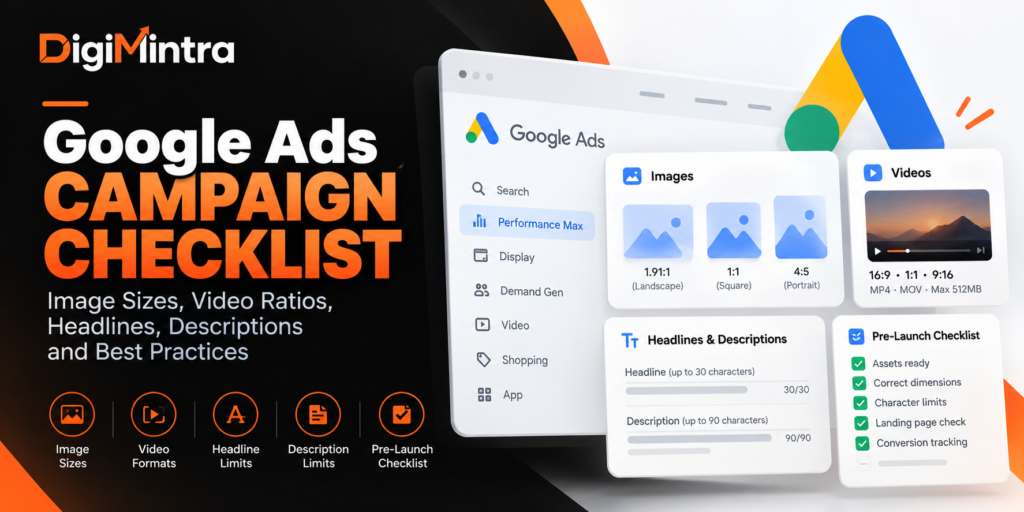
Before you hit publish on a Google Ads campaign, you need to know exactly what assets are required, what dimensions are accepted, how many characters each field allows, and what Google will reject outright. Getting any of these wrong means disapproved creatives, limited delivery, or a campaign that launches but never reaches its intended placements.
This guide compiles the verified 2026 specifications for every major Google Ads campaign type — Performance Max, Responsive Search Ads, Demand Gen, and Responsive Display Ads — along with pre-launch checklists and common rejection reasons. All specifications are sourced from current official Google Ads Help documentation.
Important note on Display campaigns: Google has been migrating Display campaigns into Demand Gen, with the Display Network becoming a channel within Demand Gen rather than a standalone campaign type. New Display campaigns can only be created inside Demand Gen. Responsive Display Ad specs are included here for accounts still running existing Display campaigns or using the format within Demand Gen.
Master Quick-Reference: Google Ads Specs at a Glance
| Campaign Type | Image Ratios Supported | Max Image File Size | Headline Limit | Description Limit | Video Required? |
|---|---|---|---|---|---|
| Performance Max | 1.91:1, 1:1, 4:5 (portrait) | 5 MB | 30 chars × up to 15 | 90 chars × up to 5 | Recommended; auto-generated if not provided |
| Responsive Search Ads | N/A — text only | N/A | 30 chars × up to 15 | 90 chars × up to 4 | No |
| Demand Gen (Single Image) | 1.91:1, 1:1, 9:16 (portrait) | 5 MB | 40 chars × up to 5 | 90 chars × up to 5 | Optional (separate video ad format) |
| Responsive Display Ads | 1.91:1 (landscape), 1:1 (square) | 5 MB | 30 chars × up to 5 (short); 90 chars × 1 (long) | 90 chars × up to 5 | Optional |
| Uploaded Static Display | Fixed dimensions (many supported) | 150 KB | N/A — design in image | N/A — design in image | No |
Performance Max: Full Specifications
Performance Max is Google’s goal-based campaign type that serves ads across Search, Display, YouTube, Discover, Gmail, and Maps from a single campaign. Assets are grouped into asset groups and assembled dynamically by Google’s AI across all applicable placements.
Text Asset Specifications
| Asset Type | Character Limit | Min Count | Max Count | Recommended Count | Required? |
|---|---|---|---|---|---|
| Headline | 30 characters | 3 | 15 | 10–15 | Yes |
| Long headline | 90 characters | 1 | 5 | 4–5 | Yes |
| Description | 90 characters (first description: 60 characters) | 2 | 5 | 4–5 | Yes |
| Business name | 25 characters | 1 | 1 | 1 | Yes |
| Display URL path 1 | 15 characters | 0 | 1 | 1 | Optional |
| Display URL path 2 | 15 characters | 0 | 1 | 1 | Optional |
| Final URL | N/A | 1 | 1 | 1 | Yes |
Important note on descriptions: The first description field has a 60-character limit. Descriptions 2–5 allow up to 90 characters. This is a documented difference from the standard 90-character description that appears in some third-party references.
Image Asset Specifications
| Image Type | Aspect Ratio | Recommended Dimensions | Minimum Dimensions | Max File Size | Formats | Required? | Max per Asset Group |
|---|---|---|---|---|---|---|---|
| Landscape image | 1.91:1 | 1200 × 628 px | 600 × 314 px | 5 MB | JPG, PNG | Yes (min 1) | 20 |
| Square image | 1:1 | 1200 × 1200 px | 300 × 300 px | 5 MB | JPG, PNG | Yes (min 1) | 20 |
| Portrait image | 4:5 | 960 × 1200 px | 480 × 600 px | 5 MB | JPG, PNG | Optional | 20 |
| Square logo | 1:1 | 1200 × 1200 px | 128 × 128 px | 5 MB | JPG, PNG | Yes (min 1) | 5 |
| Landscape logo | 4:1 | 1200 × 300 px | 512 × 128 px | 5 MB | JPG, PNG | Optional | 5 |
Safe area: Keep the main subject within the centre 80% of each image. Google may crop images at the edges to fit different placements. Text, logos, and key visual elements placed near the edges risk being cropped out.
Logo guidance: Upload logos as square images. Avoid predominantly white logos on a transparent background — these may not render correctly on light-coloured placements. A solid or contrasting background behind the logo improves visibility across placements.
Video Asset Specifications
| Video Type | Aspect Ratio | Minimum Duration | Upload Method | Required? | Max per Asset Group |
|---|---|---|---|---|---|
| Horizontal video | 16:9 | 10 seconds | YouTube-hosted | Recommended | 5 |
| Square video | 1:1 | 10 seconds | YouTube-hosted | Recommended | 5 |
| Vertical video | 9:16 | 10 seconds | YouTube-hosted | Recommended | 5 |
Video auto-generation: If you do not provide custom video assets, Google may automatically generate videos from your image and text assets for YouTube placements. Auto-generated videos can appear across YouTube inventory. If creative quality and brand consistency are priorities, providing custom videos — particularly one in each orientation — is strongly recommended rather than relying on auto-generation.
Minimum Launch Requirements vs Recommended Coverage
| Asset | Minimum to Launch | Google’s Recommendation |
|---|---|---|
| Headlines | 3 | 10–15 |
| Long headlines | 1 | 4–5 |
| Descriptions | 2 | 4–5 |
| Landscape images | 1 | Up to 20 |
| Square images | 1 | Up to 20 |
| Portrait images | 0 | Up to 20 |
| Square logo | 1 | 1–2 |
| Videos | 0 (auto-generated if absent) | At least 1 per orientation |
Performance Max Pre-Launch Checklist
- ☐ At least 1 landscape image (1.91:1, min 600 × 314 px, max 5 MB)
- ☐ At least 1 square image (1:1, min 300 × 300 px, max 5 MB)
- ☐ Portrait image uploaded (4:5, 960 × 1200 px recommended) — improves Shorts and mobile coverage
- ☐ At least 1 square logo (1:1, min 128 × 128 px)
- ☐ Landscape logo uploaded (4:1) — optional but recommended
- ☐ Images kept below 5 MB each
- ☐ Images saved as JPG or PNG
- ☐ Main subject in centre 80% of image
- ☐ No overlaid text covering more than 20% of image area
- ☐ Minimum 3 headlines (up to 15 recommended); each ≤ 30 characters
- ☐ Minimum 1 long headline (up to 5); each ≤ 90 characters
- ☐ First description ≤ 60 characters; remaining descriptions ≤ 90 characters
- ☐ Business name entered (≤ 25 characters)
- ☐ Final URL set and tested
- ☐ Custom videos uploaded to YouTube and linked — at least one per orientation (16:9, 1:1, 9:16)
- ☐ Conversion tracking verified and firing on the conversion page
- ☐ Campaign objective, bidding strategy, and budget confirmed
- ☐ Asset group themes are coherent (not mixing unrelated products or audiences)
Responsive Search Ads (RSA): Full Specifications
Responsive Search Ads are the standard text ad format for Google Search campaigns. You provide a pool of headlines and descriptions; Google’s system tests combinations and serves the best-performing mix for each query and user context.
Text Specifications
| Field | Character Limit | Minimum | Maximum | How Many Google Shows at Once |
|---|---|---|---|---|
| Headline | 30 characters (including spaces) | 3 | 15 | Up to 3 |
| Description | 90 characters (including spaces) | 2 | 4 | Up to 2 |
| Display URL path 1 | 15 characters | 0 | 1 | — |
| Display URL path 2 | 15 characters | 0 | 1 | — |
| Final URL | N/A | 1 | 1 | — |
Character counts include spaces and punctuation. Use the live counter in Google Ads editor — do not count in a spreadsheet, as some characters (special symbols, punctuation in certain scripts) may count differently.
Headline 3 and Description 2 are not guaranteed to appear — Google may show only 2 headlines on narrow mobile screens. Write every headline and description to stand alone and make sense without relying on another field for context.
What Affects Ad Strength
Ad Strength is a diagnostic indicator (Incomplete, Poor, Average, Good, Excellent) — it reflects the variety and relevance of your asset pool, not a direct ranking signal. Common causes of low Ad Strength:
- Fewer than 5 headlines provided
- Headlines that repeat similar words or phrases
- No headline containing a relevant keyword for the ad group
- Heavily pinned headlines that restrict Google’s ability to test combinations
- Descriptions that are too similar to each other
Pinning — Use Sparingly
Pinning locks a headline or description to a specific position (Position 1, 2, or 3). Use it only when a legal requirement, brand guideline, or essential message must always appear in a specific position. Over-pinning reduces the combinations Google can test and typically lowers Ad Strength and performance.
RSA Pre-Launch Checklist
- ☐ Minimum 3 headlines provided (up to 15 recommended)
- ☐ Every headline is ≤ 30 characters including spaces
- ☐ Headlines cover distinct angles: benefit, feature, offer, social proof, CTA
- ☐ No two headlines are near-identical in wording
- ☐ At least one headline contains the primary keyword for the ad group
- ☐ Minimum 2 descriptions provided (up to 4 recommended)
- ☐ Every description is ≤ 90 characters including spaces
- ☐ Each headline and description works independently without requiring context from another
- ☐ Pinning used only where genuinely necessary
- ☐ Final URL is correct, loads quickly, and matches the ad’s intent
- ☐ Display URL paths reflect the landing page topic (optional but improves CTR)
- ☐ Ad policy compliance checked (no prohibited claims, correct capitalisation)
Character-Count Example
The following illustrates how 30 characters maps to practical headline length:
Headline examples (30-char limit):

"Google Ads Management India" = 27 characters ✓
"Certified Google Ads Expert" = 27 characters ✓
"Free PPC Audit — Book Today" = 27 characters ✓
"Performance Marketing Agency" = 28 characters ✓

Description example (90-char limit):
"We manage Google Ads campaigns for Indian businesses.
Get a free audit and see where your budget is going." = 104 characters ✗ — too long

"Manage Google Ads for Indian businesses.
Free audit — find out exactly where your budget is going." = 99 characters ✗

"Manage Google Ads for Indian businesses. Get a free audit and improve results today." = 84 characters ✓
Demand Gen: Full Specifications
Demand Gen campaigns serve visually rich ads across YouTube (in-feed, in-stream, Shorts), Google Discover, and Gmail. The campaign supports multiple ad formats within a single campaign, including single image ads, video ads, and carousel ads.
Single Image Ad Specifications
| Image Type | Aspect Ratio | Max File Size | Format | Max per Ad | Notes |
|---|---|---|---|---|---|
| Landscape image | 1.91:1 | 5 MB | JPG, PNG | 20 | Required for most placements |
| Square image | 1:1 | 5 MB | JPG, PNG | 20 | Required for Discover and Gmail |
| Portrait / vertical image | 9:16 | 5 MB | JPG, PNG | 20 | For YouTube Shorts full-screen; added 2026 |
Text Specifications — Demand Gen Single Image Ads
| Field | Character Limit | Min | Max | Recommended | Notes |
|---|---|---|---|---|---|
| Headline | 40 characters | 1 | 5 | 5 | At least one headline must be ≤ 30 characters to avoid “Incomplete” Ad Strength rating |
| Description | 90 characters | 1 | 5 | 3–5 | — |
| Business name | 25 characters | 1 | 1 | 1 | Required |
Key distinction from Performance Max: Demand Gen headlines allow 40 characters (vs 30 for PMax and RSAs). However, at least one headline must be 30 characters or fewer to prevent an “Incomplete” Ad Strength rating and to ensure the ad can serve on Display placements within the campaign.
Carousel Ad Specifications
Carousel ads show a swipeable sequence of cards, each with its own image and optional copy. Carousel ads are not compatible with Google Merchant Center product feeds within Demand Gen.
- Cards per carousel: 2–10
- Per-card image ratios: 1.91:1 (landscape) and 1:1 (square) required; 9:16 supported for Shorts
- Each card supports its own headline and description
- Logo required at the carousel level (1:1 aspect ratio)
Video Ad Specifications — Demand Gen
Video ads within Demand Gen serve across YouTube in-feed, in-stream (skippable and non-skippable), Shorts, Discover, and Gmail. Videos must be hosted on YouTube.
- Horizontal (16:9): Standard for YouTube in-stream and in-feed
- Vertical (9:16): For YouTube Shorts
- Square (1:1): For Discover and Gmail placements
- Non-skippable: 6–15 seconds
- Skippable: Minimum 12 seconds (skippable after 5 seconds)
Demand Gen Pre-Launch Checklist
- ☐ Landscape image provided (1.91:1, max 5 MB, JPG or PNG)
- ☐ Square image provided (1:1, max 5 MB, JPG or PNG)
- ☐ Portrait image provided (9:16) — needed for YouTube Shorts coverage
- ☐ At least one headline is ≤ 30 characters (prevents Incomplete Ad Strength)
- ☐ All headlines are ≤ 40 characters
- ☐ All descriptions are ≤ 90 characters
- ☐ Business name ≤ 25 characters
- ☐ Logo uploaded (1:1 ratio)
- ☐ Video assets uploaded to YouTube and linked (if running video ads)
- ☐ Final URL tested and functional
- ☐ Images are free from excessive text overlay
- ☐ Creative assets comply with Google’s ad policies
Responsive Display Ads: Full Specifications
Responsive Display Ads are the asset-based format for the Google Display Network. As Google migrates Display campaigns into Demand Gen, these specs apply to existing campaigns and to the Display Network channel within Demand Gen.
Image Specifications
| Image Type | Aspect Ratio | Recommended Dimensions | Minimum Dimensions | Max File Size | Format | Required? |
|---|---|---|---|---|---|---|
| Landscape image | 1.91:1 | 1200 × 628 px | 600 × 314 px | 5 MB | JPG, PNG | Yes |
| Square image | 1:1 | 1200 × 1200 px | 300 × 300 px | 5 MB | JPG, PNG | Yes |
| Square logo | 1:1 | 1200 × 1200 px | 128 × 128 px | 5 MB | JPG, PNG | Yes |
| Landscape logo | 4:1 | 1200 × 300 px | 512 × 128 px | 5 MB | JPG, PNG | Optional |
Animated GIFs are not accepted for Responsive Display Ads. Upload static JPG or PNG images only. Animated formats are supported for uploaded static display ads in some configurations but not for the responsive format.
Text Specifications
| Field | Character Limit | Min | Max | Notes |
|---|---|---|---|---|
| Short headline | 30 characters | 1 | 5 | Appears without description in smaller placements |
| Long headline | 90 characters | 1 | 1 | Used in large banner placements |
| Description | 90 characters | 1 | 5 | — |
| Business name | 25 characters | 1 | 1 | Required |
Responsive Display Ads Pre-Launch Checklist
- ☐ Landscape image uploaded (1.91:1, min 600 × 314, max 5 MB, JPG/PNG)
- ☐ Square image uploaded (1:1, min 300 × 300, max 5 MB, JPG/PNG)
- ☐ Logo uploaded (1:1, min 128 × 128)
- ☐ Short headline ≤ 30 characters (at least 1, up to 5)
- ☐ Long headline ≤ 90 characters
- ☐ Description ≤ 90 characters (at least 1, up to 5)
- ☐ Business name ≤ 25 characters
- ☐ No animated GIFs
- ☐ Final URL functional and relevant to creative
Uploaded Static Display Ads: File Size and Dimension Reference
If you prefer to upload pre-designed display ad creatives rather than using the responsive format, uploaded static image ads have a significantly smaller file size limit.
| Format | Max File Size | Accepted Formats | Notes |
|---|---|---|---|
| Uploaded static image ad | 150 KB | GIF, JPG, PNG | HTML5 supported in some configurations |
| Responsive Display Ad image | 5 MB | JPG, PNG only | No animated GIF |
| Performance Max image | 5 MB | JPG, PNG | — |
| Demand Gen image | 5 MB | JPG, PNG (GIF/APNG for product feeds) | — |
Most commonly used uploaded display ad dimensions include: 300 × 250, 728 × 90, 160 × 600, 300 × 600, 320 × 50, 320 × 100, and 970 × 250. Google’s full list of supported dimensions is available in the official Google Ads Help documentation.
Common Rejection Reasons and How to Fix Them
Image Rejected: Incorrect Dimensions or Ratio
Symptom: Upload fails or asset is flagged as invalid. Cause: Image does not meet the minimum pixel dimensions or does not match a supported aspect ratio. Fix: Check the minimum dimensions for the specific campaign type and image type (see tables above). Resize rather than crop if the ratio is wrong — cropping may remove key content.
Image Rejected: File Too Large
Symptom: Upload error on file size. Cause: Uploaded static display ads have a 150 KB limit. Responsive, PMax, and Demand Gen images allow 5 MB. Fix: Confirm which format you are uploading to and compress accordingly. JPG compression typically achieves smaller file sizes than PNG for photographic content.
Headline Too Long
Symptom: Google Ads editor highlights the field in red and blocks saving. Cause: The headline exceeds the character limit for the campaign type (30 for RSA and PMax; 40 for Demand Gen). Fix: Use the live character counter in Ads Manager. Special characters, apostrophes, and symbols all count. If counting in a spreadsheet, verify against the in-platform counter before submitting.
Ad Disapproved: Policy Violation
Symptom: Ad status shows “Disapproved” with a policy reason. Cause: Ad content violates Google Ads policies (prohibited content, misleading claims, capitalisation issues such as ALL CAPS, or restricted categories). Fix: Review the specific policy cited in the disapproval notification. Correct the flagged element and request a re-review if appropriate. Note that some disapprovals are automated and may be incorrect — the re-review process is the correct path.
Campaign Launches but Delivery Is Limited
Symptom: Campaign is active but impressions are very low. Possible causes:
- Budget too low for the target audience and bidding strategy to compete
- Ad Strength too low — increase headline and description variety
- Missing asset types reducing eligible placements (e.g., no portrait image means no Shorts delivery)
- Conversion tracking not verified — Smart Bidding strategies require conversion data to function
- Campaign still in the learning phase — allow at least 7 days before assessing delivery
Video Rejected: Not Hosted on YouTube
Symptom: Video cannot be added to asset group. Cause: Google Ads does not accept direct video file uploads for Performance Max, Demand Gen, or video campaigns. All videos must be uploaded to YouTube first, then linked via the YouTube URL. Fix: Upload the video to your YouTube channel (it can be set to unlisted if you do not want public visibility) and paste the URL into Google Ads.
Confusing Recommended with Required Assets
Problem: Many advertisers assume that Google’s recommended quantities (e.g., 15 headlines, 20 images) are required to launch a campaign. They are not. The minimum requirements are significantly lower (3 headlines, 1 landscape image, 1 square image for PMax). However, providing more varied assets improves Ad Strength, expands eligible placements, and gives the algorithm more combinations to optimise. Meeting the minimum launches the campaign; meeting the recommendations typically improves performance.
Universal Pre-Launch Checklist
Apply this checklist to every new campaign, regardless of type, before setting it live.
Tracking
- ☐ Conversion tracking is active and firing correctly on the conversion page
- ☐ The correct conversion action is set to Primary in the campaign
- ☐ Google Tag or GTM verified in Tag Assistant
- ☐ Enhanced Conversions configured if applicable
Campaign Settings
- ☐ Campaign objective matches business goal
- ☐ Bidding strategy is appropriate for the campaign’s data volume and objective
- ☐ Budget is sufficient to accumulate learning-phase data
- ☐ Location targeting verified (not accidentally set to global)
- ☐ Language targeting confirmed
- ☐ Start and end dates set correctly
Assets
- ☐ All image dimensions and aspect ratios verified against campaign type
- ☐ All image file sizes within the limit (5 MB for PMax/Demand Gen/RDA; 150 KB for uploaded static)
- ☐ All images saved as JPG or PNG (no animated GIF for RDAs)
- ☐ All character counts verified in Google Ads editor (not in a spreadsheet)
- ☐ At least one Demand Gen headline is ≤ 30 characters if running Demand Gen
- ☐ No duplicate or near-identical headlines
- ☐ Business name verified and ≤ 25 characters
- ☐ Videos uploaded to YouTube and linked (if applicable)
- ☐ Final URL functional, fast-loading, and relevant to ad content
Compliance
- ☐ Ad copy reviewed for prohibited content and policy compliance
- ☐ No misleading claims or unsupported superlatives
- ☐ No ALL CAPS words (unless an acronym)
- ☐ Landing page content matches ad claims
Frequently Asked Questions
What image size should I use for Performance Max?
The recommended dimensions are 1200 × 628 px for landscape (1.91:1), 1200 × 1200 px for square (1:1), and 960 × 1200 px for portrait (4:5). These are recommended dimensions — the minimums are 600 × 314, 300 × 300, and 480 × 600 respectively. All images must be JPG or PNG, maximum 5 MB each.
Does Performance Max require a video?
No. A custom video is not required to launch a Performance Max campaign. However, if you do not provide videos, Google may auto-generate videos from your image and text assets for YouTube placements. If brand consistency and creative quality matter, providing at least one video in each orientation (16:9, 1:1, 9:16) is strongly recommended.
What is the character limit for Google Ads headlines?
It depends on the campaign type. Responsive Search Ads and Performance Max headlines allow 30 characters. Demand Gen headlines allow 40 characters, but at least one must be 30 characters or fewer. Long headlines in Performance Max and Responsive Display Ads allow 90 characters.
Why is Google Ads rejecting my image?
Common reasons: the image does not meet the minimum pixel dimensions for the campaign type; the file exceeds the size limit (most commonly the 150 KB limit for uploaded static display ads vs the 5 MB limit for PMax/Demand Gen); the file format is not supported; or the image contains too much text overlay or a policy-violating element. Check which campaign type and image type you are uploading to, verify the specs against the tables above, and re-export if needed.
What is the difference between required and recommended assets?
Required assets are the minimum needed to create and launch the campaign — for Performance Max, this means at least 3 headlines, 1 long headline, 2 descriptions, 1 landscape image, 1 square image, and 1 logo. Recommended quantities are higher — up to 15 headlines, 20 images per type — and are aimed at giving Google’s algorithm more variety to test and optimise across placements. Providing recommended quantities typically improves Ad Strength, eligible placements, and delivery efficiency.
How do Demand Gen specs differ from Performance Max?
Key differences: Demand Gen headlines allow 40 characters (PMax allows 30); Demand Gen uses 9:16 portrait images for Shorts (PMax uses 4:5 portrait); Demand Gen supports carousel and video-only ad formats; Demand Gen videos serve across YouTube in-stream (including non-skippable), while PMax video placement is determined by the algorithm across all Google inventory. Image file size limits and accepted formats are the same (5 MB, JPG/PNG).
Official Sources
All specifications in this guide are sourced from current official Google documentation:
- Google Ads specs for all campaign types — support.google.com
- Performance Max asset group specifications — support.google.com
- Demand Gen campaign asset specs and best practices — support.google.com
- Performance Max API asset requirements — Google Ads API documentation
Specifications can change with platform updates. Always verify against the current official documentation before submitting assets, particularly for new campaign types or recently launched features.
For related guides, see our articles on Performance Max vs Demand Gen vs AI Max for Search, Google Ads Smart Bidding strategies, why Google Ads and GA4 show different conversion numbers, and Google Ads cost benchmarks for India in 2026.