
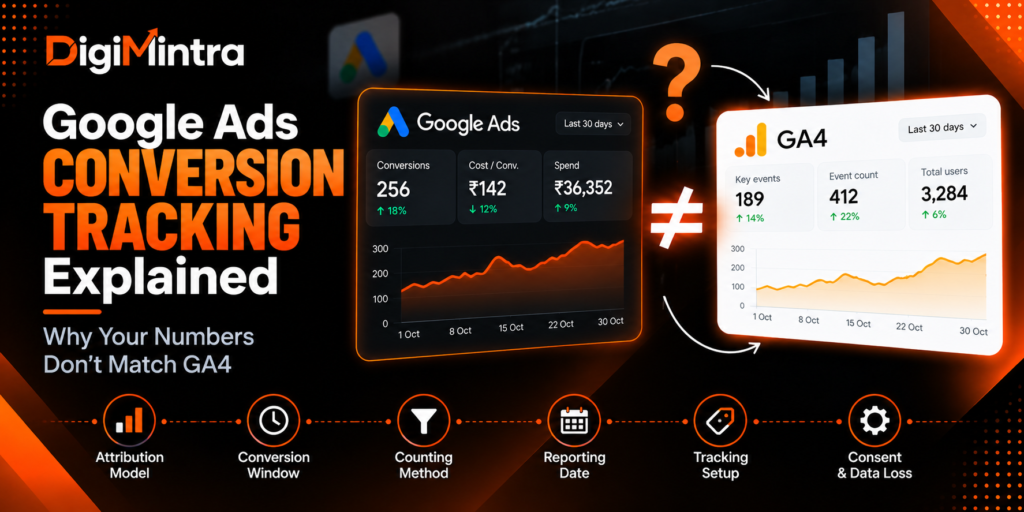
You open Google Ads and see 130 conversions for the month. You open GA4 and see 95. Your CRM shows 108 actual leads. All three tools are connected to the same website, the same campaigns, and the same thank-you page — so which number is right, and why are they all different?
This is one of the most common and most misunderstood problems in digital advertising. The immediate instinct is usually to assume something is broken — but the reality is more nuanced. Some of this gap is expected and structurally inevitable. Some of it may indicate a real tracking problem that is causing you to make worse decisions. And some of it may be caused by comparing the wrong metrics in the wrong reports.
This guide explains the actual reasons these numbers differ, how to identify which category applies to your account, and how to investigate systematically without making premature changes that create more confusion.
The Fundamental Reason: Google Ads and GA4 Were Built for Different Jobs
Before diagnosing a specific discrepancy, it helps to understand what each platform is actually measuring.
Google Ads conversion tracking is designed to answer one specific question: which ad interactions led to a conversion? It attributes conversions to ad clicks (and in some setups, to views or engaged views). It uses its own measurement logic — including cross-device matching via signed-in Google accounts, conversion modelling for users who declined tracking, and its own attribution windows and models. It counts conversions relative to the ad interaction that preceded them, and it reports those conversions on the date of the original ad click, not the date the conversion happened.
GA4 is designed to track user behaviour across your website, sessions, and channels. It records key events as they happen and attributes them across all traffic sources — not just Google Ads. It reports conversions on the date the event fired. It uses its own attribution model (Data-Driven Attribution by default) with its own lookback windows, configured separately from Google Ads. It does not include view-through conversions from imported GA4 key events, and it relies primarily on client-side JavaScript execution, which can be blocked or limited by browser restrictions, consent settings, and ad blockers.
These are fundamentally different measurement systems with different scopes, different attribution logic, different date conventions, and different data collection methods. They were not designed to match exactly. A gap of 10–30% between Google Ads and GA4 conversion counts is often structural — a reflection of these differences, not a sign that anything is broken.
The important question is not “why don’t they match?” but “is this gap within the expected range, or does it indicate a configuration or tracking problem I need to fix?”
A Terminology Clarification: Key Events vs Conversions
In 2023, Google renamed what GA4 previously called “conversions” to key events. The word “conversions” in GA4 now refers specifically to key events that have been shared with and imported into Google Ads — where they inherit Google Ads attribution settings rather than GA4’s own attribution settings.
This distinction matters when comparing numbers. If you are looking at GA4’s “key events” report and Google Ads’ “conversions” column, you are comparing two different metrics even if they are based on the same underlying event. When a GA4 key event is imported into Google Ads as a conversion action, it is processed through Google Ads’ own attribution model and conversion window — which produces a different number from the GA4 key event count.
According to official Google documentation, conversion actions based on GA4 key events are also set to secondary conversion actions by default in Google Ads — to prevent counting the same event twice alongside a separately configured Google Ads website conversion tag. If you have both a native Google Ads tag and an imported GA4 key event measuring the same action, you may be double-counting in your Google Ads conversions column.
The Eight Structural Reasons for the Gap
1. Interaction Date vs Conversion Date
This is probably the single most common cause of confusion when comparing the same date range across platforms.
Google Ads attributes conversions to the date of the ad click or impression — not the date the conversion happened. If someone clicked an ad on the 28th of the month and filled out a form on the 2nd of the following month, Google Ads counts that conversion in last month’s data.
GA4 records the key event on the date it actually fired — the 2nd. So that same conversion appears in this month’s data in GA4 and last month’s data in Google Ads.
This creates a perpetual date-shift discrepancy. When comparing current-month totals, Google Ads will typically show more conversions (because it includes clicks from earlier that converted recently) and then those numbers will continue to increase retroactively for days or weeks as delayed conversions are attributed back to their click dates.
Hypothetical example: A campaign runs throughout October. On 1 November, Google Ads shows 85 October conversions. By 15 November, that same October figure may have grown to 110 — not because new campaigns ran in October, but because conversions that happened in early November (from October clicks within the conversion window) are now being attributed back to October. GA4 will show those same conversions in November, not October.
Practical implication: Never compare this month’s Google Ads numbers to this month’s GA4 numbers and draw firm conclusions. Allow at least 7–14 days (longer for high-consideration purchases) before treating Google Ads conversion data for a given period as complete.
2. Different Attribution Models
Both platforms use Data-Driven Attribution (DDA) as their default, but the two DDA models are not identical. Google Ads DDA is trained on Google Ads interaction data specifically. GA4 DDA considers all tracked touchpoints across all channels — organic search, direct, email, social, and paid. The same conversion may receive different credit assignments from each model.
If the attribution models are configured differently — for example, Google Ads uses data-driven but GA4 has been switched to last-click — this will produce systematically different numbers for campaigns that typically appear late in a multi-touch journey.
Additionally, Google Ads applies its attribution model only within the Google Ads ecosystem. A conversion that GA4 attributes to an email click (the last touchpoint before conversion) will not appear in Google Ads at all, because there was no Google Ads interaction in the conversion path.
3. Conversion Windows
Google Ads and GA4 have separate, independently configured conversion windows — the maximum number of days after an ad interaction during which a conversion can be attributed to that interaction.
Default Google Ads windows: 30 days for click-through conversions, 1 day for view-through conversions. GA4’s default conversion window for all other conversion events is 90 days click, 30 days engaged view. If these windows are mismatched, conversions that fall within one platform’s window but outside the other’s will only appear in one report.
4. Conversion Counting Methods
Google Ads offers two counting methods per conversion action: Every conversion (counts each conversion event, even if the same person converts multiple times) and One conversion (counts only the first conversion within a set window per ad click).
GA4 counts key events per session or per event, depending on configuration. A single user who submits two forms in the same session may be counted as one conversion in Google Ads (if set to “One conversion”) and two key events in GA4 (if GA4 is set to count per event). Or vice versa.
For lead generation, “One conversion” per click is typically appropriate. For purchases, “Every conversion” is usually correct. Mismatched counting methods between platforms produce a predictable gap that grows with repeat converters.
5. View-Through and Engaged-View Conversions
Google Ads can count view-through conversions — conversions that happen after someone saw (but did not click) a Google Ads display or video ad. These appear in the “View-through conversions” column in Google Ads.
GA4 does not count these at all when conversions are imported from GA4 key events — because GA4 only tracks clicks, not ad impressions. This means view-through conversions will always appear in Google Ads but never in GA4, producing a structural gap for advertisers running display or YouTube campaigns.
If you want to compare like-for-like, exclude the “View-through conv.” column from your Google Ads total when comparing against GA4.
6. Conversion Modelling and Privacy-Related Measurement Gaps
When users decline consent or use browsers with tracking restrictions (Safari’s Intelligent Tracking Prevention is the most significant example), client-side tracking tags may not fire. This affects GA4’s JavaScript-based data collection significantly.
Google Ads has two mechanisms GA4 does not share to the same degree:
- Signed-in Google account matching: Google Ads can stitch cross-device and cross-session journeys for signed-in Google users, recovering conversions that client-side cookies cannot track.
- Conversion modelling: GA4 exports only observed conversions to Google Ads, where additional modelling is applied to estimate conversions that could not be directly observed due to consent gaps. This means Google Ads will often report more conversions than GA4 for accounts with significant iOS traffic or strict consent banners.
Enhanced Conversions — which sends hashed first-party data (email addresses, phone numbers) from your website directly to Google — can recover a meaningful portion of these missed conversions. If Enhanced Conversions is not enabled in your Google Ads account, you are likely under-counting in Google Ads relative to actual business outcomes. If it is enabled but not configured in GA4, the numbers will diverge further.
7. Duplicate Conversion Firing
When a Google Ads conversion tag fires multiple times for a single intended conversion action, it inflates Google Ads totals without any corresponding inflation in GA4 (unless the GA4 tag is also firing twice). Common causes include:
- A thank-you page that users can reload or revisit
- Tag Manager triggers firing on multiple events (form_submit AND page_view both triggering a conversion)
- Both a Google Ads website tag and an imported GA4 key event measuring the same action, with neither set to secondary
- The global site tag and a Google Tag Manager tag both firing on the same page
Duplicate firing in Google Ads produces conversion totals that are significantly higher than GA4, often by a factor of 2x or more. If your Google Ads conversions are more than double your GA4 key events, duplicate firing is worth investigating first.
8. Time Zone Mismatches and Report Filters
Google Ads accounts have their own time zone setting. GA4 properties have their own, separately configured time zone. If these differ — for example, Google Ads is set to IST but GA4 is set to UTC — an entire day’s worth of conversions can appear in different reporting periods depending on which platform you are reading.
Similarly, report filters, segments, and metric definitions differ between platforms. GA4 reports conversions by user, session, or event depending on the report type. Google Ads reports by campaign, ad group, or keyword. Comparing them without aligning the scope, date range, and metric definition will always produce misleading comparisons.
A Diagnostic Framework: How to Investigate Your Specific Discrepancy
Do not change tags, attribution settings, or campaign structure before understanding what is causing the gap. Work through these checks in order.
Step 1: Confirm You Are Comparing the Right Things
Before assuming a problem exists, verify:
- Are you comparing the same date range in both platforms?
- Are the time zones aligned?
- Are you comparing Google Ads “Conversions” (primary conversion actions only) or “All conversions” (which includes secondary actions and view-through)?
- Are you comparing against GA4 key events for the same specific action, or against all key events combined?
- Are you using “Conversion date” or “Click date” in Google Ads? (Click date is the default — if switched to Conversion date, the numbers become more comparable to GA4’s event-date reporting.)
Many apparent discrepancies disappear at this stage — they are comparisons of incompatible metrics rather than evidence of a tracking problem.
Step 2: Check for Duplicate Conversion Actions
In Google Ads, navigate to Goals → Conversions → Summary. Review each active conversion action and confirm:
- Is there both a native Google Ads tag and an imported GA4 key event for the same action? If so, one should be set to Secondary (or removed).
- Are any conversion actions recording implausibly high counts relative to your actual business volume?
- Are there conversion actions you no longer use that are still set to Primary?
Step 3: Check Tag Firing in Google Tag Manager or Using Tag Assistant
Use Google Tag Assistant (in Chrome) or GTM’s preview mode to verify:
- The conversion tag fires once on the thank-you page — not on page load and again on a DOM event
- The GA4 event fires once per intended conversion
- No duplicate tags from both a global site tag and a GTM container
- The conversion tag fires on the correct page (thank-you page, not every page)
Step 4: Check Conversion Window Settings
In Google Ads: Goals → Conversions → select the conversion action → Settings → Conversion window. Note the click-through window.
In GA4: Admin → Attribution settings → Conversion windows. Compare the two and confirm whether they are aligned with your typical sales cycle. A B2B business with a 60-day consideration period should have a 60-day window in both platforms; a default 30-day Google Ads window combined with a 90-day GA4 window will systematically produce different totals for longer-cycle products.
Step 5: Check Conversion Counting Methods
In Google Ads: Goals → Conversions → select the action → verify whether it is set to “Every conversion” or “One conversion.” For lead forms, “One conversion” is typically more accurate. For purchases, “Every conversion” is correct.
In GA4: check whether the corresponding key event is configured to count per event or per session in the key event settings.
Step 6: Check Attribution Models in Both Platforms
In Google Ads: Tools and Settings → Attribution → Attribution model per conversion action. In GA4: Admin → Attribution settings → Reporting attribution model.
If both platforms are using Data-Driven Attribution, a difference in credit assignment is still expected (the models are trained on different data) but the gap should be moderate. If one platform uses last-click and the other uses DDA, the gap will be larger and more systematic — campaigns that often appear late in the journey will look very different across the two reports.
Step 7: Review the Google Ads–GA4 Link
In GA4: Admin → Product Links → Google Ads Links. Confirm the correct Google Ads account is linked to the correct GA4 property. If the link is broken, imported conversions will stop updating — causing Google Ads to show the same imported conversion counts for days while GA4 data continues to update.
Step 8: Check Enhanced Conversions Status
In Google Ads: Goals → Conversions → select a web conversion action → Settings → Enhanced conversions. If Enhanced Conversions is not enabled, Google Ads is not recovering consent-declined or cross-device conversions that it could otherwise match. This is a significant under-count for businesses with a high proportion of iOS or privacy-sensitive users, and it will widen the gap between Google Ads and actual business outcomes.
Step 9: Investigate Conversion Lag Before Judging Recent Data
In Google Ads: Tools → Attribution → Conversion lag report. This shows the distribution of days between ad click and conversion. If 40% of your conversions come more than 7 days after the click, any comparison of this week’s data will produce a misleading picture — Google Ads will appear weaker than its eventual total because many conversions are still pending.
Always allow sufficient time (typically the 95th percentile of your conversion lag) before treating data for a given period as final.
Diagnostic Summary Table
| Symptom | Most Likely Cause(s) | What to Check | Appropriate Action |
|---|---|---|---|
| Google Ads significantly higher than GA4 (2x or more) | Duplicate conversion firing; both native tag and imported key event set to Primary | Tag Assistant; Goals → Conversions → check for duplicate actions | Remove duplicate; set imported key event to Secondary if native tag is Primary |
| Google Ads moderately higher than GA4 (10–30%) | View-through conversions; conversion modelling; cross-device matching; interaction date vs conversion date | Subtract View-through conv. column; check if Enhanced Conversions is active | Often expected — document and monitor rather than fix |
| GA4 higher than Google Ads | GA4 counting all channels while Ads only counts ad-attributed events; duplicate GA4 tags; GA4 counting per event while Ads counts per click | Check GA4 key event count vs Google Ads conversions by channel; check for duplicate GA4 tag firing | Segment GA4 by paid search source to isolate the comparison; fix duplicate if found |
| Numbers match for older dates but not recent ones | Conversion lag; interaction date vs conversion date | Conversion lag report in Google Ads Attribution | Allow more time before judging; compare data 14+ days after the period end |
| Numbers suddenly diverge after a site change | Tag removed from thank-you page; GTM trigger change; consent banner update affecting firing | Tag Assistant on thank-you page; GTM version history; consent mode settings | Restore correct tag firing; review consent mode configuration |
| Conversions present in one platform but zero in the other | GA4–Google Ads link broken; conversion action misconfigured; wrong property linked | GA4 Admin → Product Links; Goals → Conversions → check action status | Re-link accounts; verify correct property is linked; check conversion action is active |
| Google Ads conversions identical for multiple days | GA4–Google Ads import link broken or delayed | GA4 Admin → Google Ads Links; check link health | Re-establish the product link |
Should You Import GA4 Key Events into Google Ads, or Use Native Tags?
This is a practical decision with meaningful implications for both measurement and bidding.
| Approach | Advantages | Limitations |
|---|---|---|
| Native Google Ads website conversion tag | Required for view-through conversions; supports Enhanced Conversions fully; no dependency on GA4 link health | Separate tag to maintain; does not leverage GA4’s session and behaviour context |
| Imported GA4 key events | Single source of truth for event definition; consistent with GA4 reporting; easier to manage one event | No view-through attribution; set to Secondary by default (check this); dependent on GA4–Google Ads link health; GA4 only exports observed conversions (modelling applied by Google Ads) |
| Both (common setup) | Redundancy; can compare both sources | High risk of double-counting if both set to Primary; requires careful management |
Official Google documentation recommends using a native Google Ads tag as the primary conversion action for web conversions when you want Smart Bidding to have the strongest signal. Imported GA4 key events work well as secondary actions for reporting visibility but should be carefully configured to avoid double-counting with any existing native tag measuring the same event.
What Counts as an Acceptable Gap?
There is no universal standard for an “acceptable” discrepancy between Google Ads and GA4. However, as a practical orientation:
- 10–30% difference with Google Ads higher — common and often fully explained by view-through conversions, conversion modelling, cross-device matching, and the interaction date vs conversion date difference. Worth documenting and understanding, but typically not evidence of a broken setup.
- More than 2x Google Ads vs GA4 — investigate for duplicate conversion firing immediately. This level of discrepancy almost always indicates a configuration error.
- GA4 higher than Google Ads — less common. Usually caused by GA4 counting all channels (including organic, email, direct) while you are only looking at the paid search rows in Google Ads. Or, less commonly, by duplicate GA4 event firing that is not replicated in Google Ads.
- Numbers that change significantly for historical dates — normal for Google Ads (conversion lag attribution is expected) but potentially a sign of retroactive data changes in GA4 if dates in the past keep moving.
The most important benchmark is not platform-to-platform consistency but accuracy relative to your actual business outcomes. If Google Ads reports 130 conversions, GA4 shows 95, and your CRM shows 108 actual leads — the gap between Ads and CRM (130 vs 108) is more concerning than the Ads-to-GA4 gap, because it suggests either duplicate counting in Ads or missed conversion events in your CRM pipeline.
Frequently Asked Questions
Should Google Ads and GA4 conversion numbers match?
No — and they are not designed to. Google Ads measures ad-attributed conversions using its own attribution model, interaction dates, and conversion modelling. GA4 records key events across all channels using event dates and its own separate attribution settings. A gap is structurally expected. The question is whether the gap you see is within a normal range or larger than expected — which requires understanding the specific causes listed above.
Why does Google Ads show more conversions than GA4?
The most common structural reasons: Google Ads includes view-through conversions that GA4 does not; Google Ads applies conversion modelling for consent-declined users that GA4 does not match; Google Ads uses cross-device matching via signed-in Google accounts that GA4’s client-side tracking cannot replicate; and Google Ads attributes conversions to click dates (which can pull later conversions back into earlier periods). If the gap is larger than 2x, also check for duplicate conversion actions or tags firing multiple times.
Why does GA4 show more conversions than Google Ads?
This typically happens when you are comparing all GA4 key events (across all traffic sources) against only your Google Ads paid conversion column. GA4 counts conversions from organic search, direct, email, and all other channels — Google Ads only counts conversions attributed to Google Ads interactions. Isolate the paid search segment in GA4 before comparing. It can also be caused by duplicate GA4 event firing or by a GA4 event counting per event while the corresponding Google Ads action counts one per click.
Why do my Google Ads conversion numbers keep changing for past dates?
This is normal and expected. Google Ads attributes conversions to the date of the ad click that preceded them, not the date the conversion occurred. A conversion that happens today from a click 12 days ago is counted in the data for 12 days ago. This process continues for the full duration of your conversion window (default: 30 days for clicks). Historical Google Ads data is therefore retroactively updated — not a sign of a problem.
How do I fix duplicate conversion counting in Google Ads?
First, identify whether you have both a native Google Ads website conversion tag and an imported GA4 key event set to Primary for the same action. If so, set the imported key event to Secondary (Google Ads does this by default for imported GA4 conversions, but verify it has not been overridden). Second, use Tag Assistant to confirm the conversion tag fires exactly once on the thank-you page and not on any other pages or events. Third, check Google Tag Manager for duplicate triggers that may fire the conversion tag multiple times per session.
What is the difference between GA4 key events and Google Ads conversions?
In GA4, key events are important events you have flagged as significant user actions (purchase, lead, sign_up, etc.). In Google Ads, conversions are the measurement actions that influence Smart Bidding and appear in your performance reports. When a GA4 key event is imported into Google Ads as a conversion action, it is processed through Google Ads’ own attribution model and conversion window — not GA4’s settings. The “Conversions” column in GA4 now refers specifically to key events that have been associated with Google Ads conversion tracking, inheriting Ads attribution settings rather than GA4’s own.
Should I use Enhanced Conversions?
Yes, in most cases. Enhanced Conversions allows Google Ads to send hashed first-party customer data (email addresses, phone numbers, names) directly to Google when a conversion happens. Google uses this to match and recover conversions that were not tracked due to cookie consent, browser restrictions (particularly on Safari and iOS), or cross-device journeys. Without it, Google Ads systematically under-counts conversions for a portion of your audience. Enhanced Conversions requires implementation on your website or via Google Tag Manager, and should be configured in accordance with your privacy policy and applicable data requirements.
The Practical Takeaway
Google Ads and GA4 will never show exactly the same conversion numbers. Building an expectation of perfect match is the wrong starting point — it leads to hours spent investigating discrepancies that are structurally inevitable rather than evidence of a problem.
The right starting point is understanding which discrepancies are structural (and therefore acceptable once documented) and which are caused by configuration errors that are genuinely distorting your data and your bidding decisions.
Use the diagnostic framework above to work through the checks in order. Identify your specific causes before changing any tags, attribution models, or campaign settings. And where possible, benchmark both platforms against your actual business outcomes — CRM leads, actual orders, actual revenue — rather than against each other.
For related reading, see our guide to Google Ads Smart Bidding strategies, which explains how conversion data quality directly affects automated bidding performance. Our Google AI campaigns guide (PMax, Demand Gen, AI Max) covers how attribution works across campaign types. If you are comparing Google Ads and Meta Ads measurement, the Meta Ads vs Google Ads guide covers the strategic differences between the two platforms.